FAQsContact Us
My Account+1 (844) 54-AXTON (29866)
Axton Logo
Axton Logo
CNC AutomationCNC Machining
About UsOur Blog
All products693
Shop home

Shop by category

Robots & Accessories173End Effectors & Tooling253Pneumatics20CNC Automation5Application Solutions24Tools & Consumables1Safety Systems18Material Handling64Structural & Mounting29Electrical & Wiring17Sensors & Vision50Control & Electronics13Motion Systems27

Shop by brand

All 80 brands
igus®144SMC52SCHUNK GmbH & Co. KG38Schmalz35AGS Automation33FAIRINO32Dobot Robotics30SoftGripping25Maschinenbau Kitz GmbH23Mech-Mind Robotics GmbH21Camozzi Automation GmbH18SICK17Effecto Group SpA13RBTX12Vention11
Axton Robotics

Configure your CNC automation in a few simple steps and see your estimated price instantly. No commitment — just a clear starting point for your automation journey.

  • About Us
  • Our Services
  • Blog

© 2026 Axton Robotics. All rights reserved.

Privacy PolicyCookie PolicyTerms & ConditionsReturn Policy

Designed and Developed by Mitchdesigns

Configure your CNC automation in a few simple steps and see your estimated price instantly. No commitment — just a clear starting point for your automation journey.

Company

  • About Us
  • Our Services
  • Blog

Shop

  • All Products
  • Grippers
  • Safety Devices
  • Accessories
Payments handled byStripe

Need Help?

  • FAQs
  • Contact Us
+1 (844) 54-AXTON (29866)[email protected]

10637 Scripps Summit Ct., San Diego, CA 92131

© 2026 Axton Robotics. All rights reserved.

Privacy PolicyCookie PolicyTerms & ConditionsReturn Policy
Designed and Developed by Mitchdesigns
  • Home
  • About Us
  • Our Services
  • CNC Automation Services
  • CNC Machining Services
  • Blog
  • FAQs
  • Contact Us
  • Axton Shop
  • Privacy Policy
  • Cookie Policy
  • Terms & Conditions
  • Return Policy
My Cart
Loading cart…
  1. Home
  2. Blog
  3. How to get an instant CNC machining quote from your CAD file

How to get an instant CNC machining quote from your CAD file

CNC machining
Photo of Malak Mitch

Malak Mitch

Oct 8, 2026 · 5 min read

Axton robotic cell tending a Haas VF-2 CNC mill in the Axton shop in San Diego
Photo of Malak Mitch

Malak Mitch

Oct 8, 2026 · 5 min read

Short answer. Upload a STEP file to the Axton quote tool and your price shows up in seconds. Pick metal or plastic and the grade, set the quantity, confirm the features and finish, and choose a lead time. Then pay by card, ask for an invoice, or forward the quote to your purchaser.

Getting a machined part quoted used to mean an RFQ email, a PDF drawing, and three days of waiting for a number.

Then a follow up call because the shop guessed the wrong finish.

We built our quote tool so engineers and buyers skip all of that. Here is every step, with the real screens.

The quote tool lives on our CNC machining page.
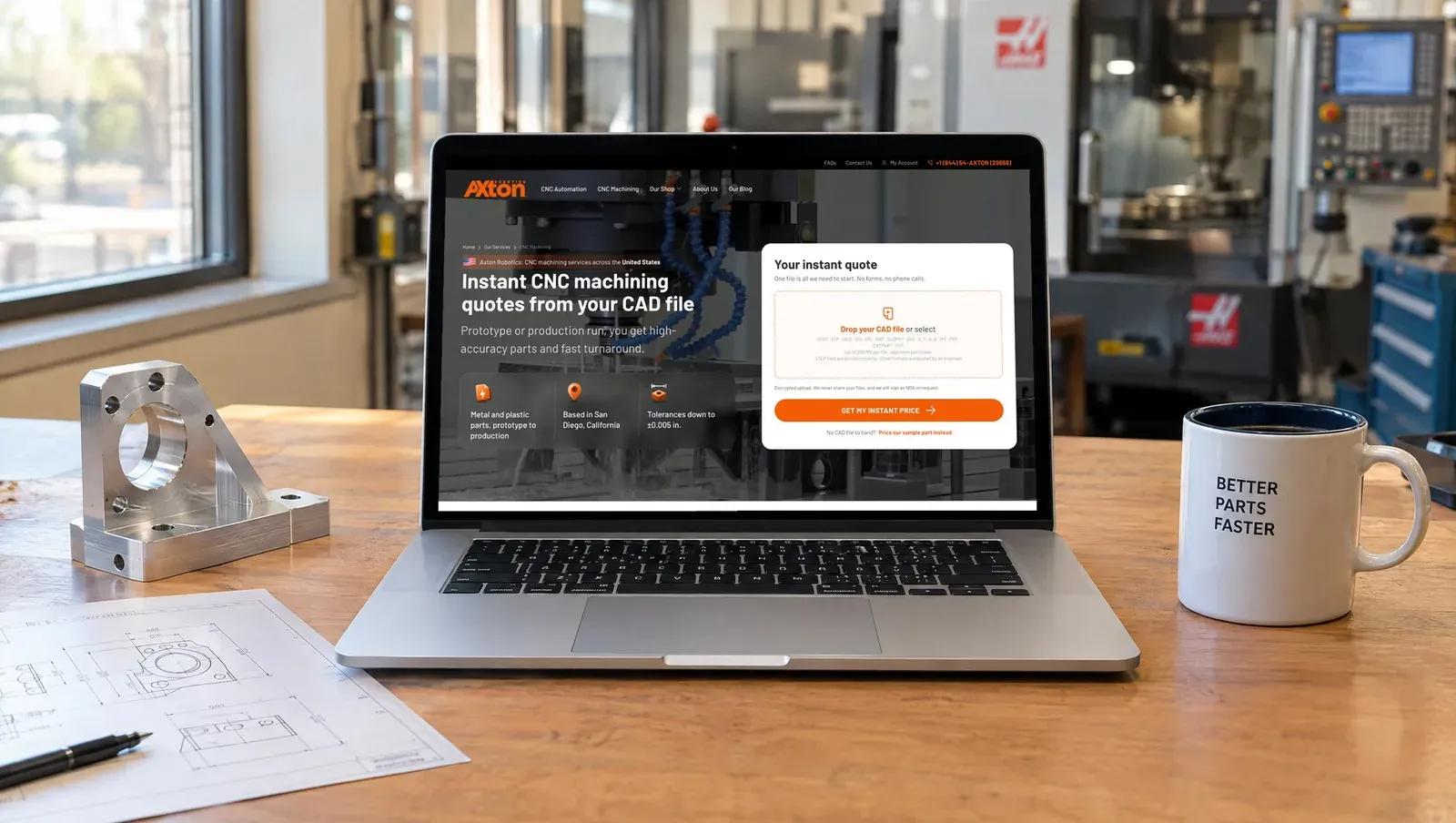
Laptop on a desk showing the Axton CNC machining page with the instant quote upload box
One file is all it needs.

What you need before you start

  • A CAD file. STEP and STP get an instant price and a 3D preview. IGES, STL, DXF, SLDPRT, Parasolid, Inventor, CATIA and PDF files are quoted by an engineer. Up to 200 MB per file.
  • A drawing, only if you need it. If any feature is tighter than ISO 2768 medium, attach a PDF or DXF with your GD&T.
  • Your quantity. One prototype or a production run. Same workflow.

No account and no password. Your email is enough to get the quote.

Step 1. Upload your CAD file

Drop the file in the box or click to select it. The tool uploads it, reads the geometry, recognizes the features and prices it, usually in a few seconds.
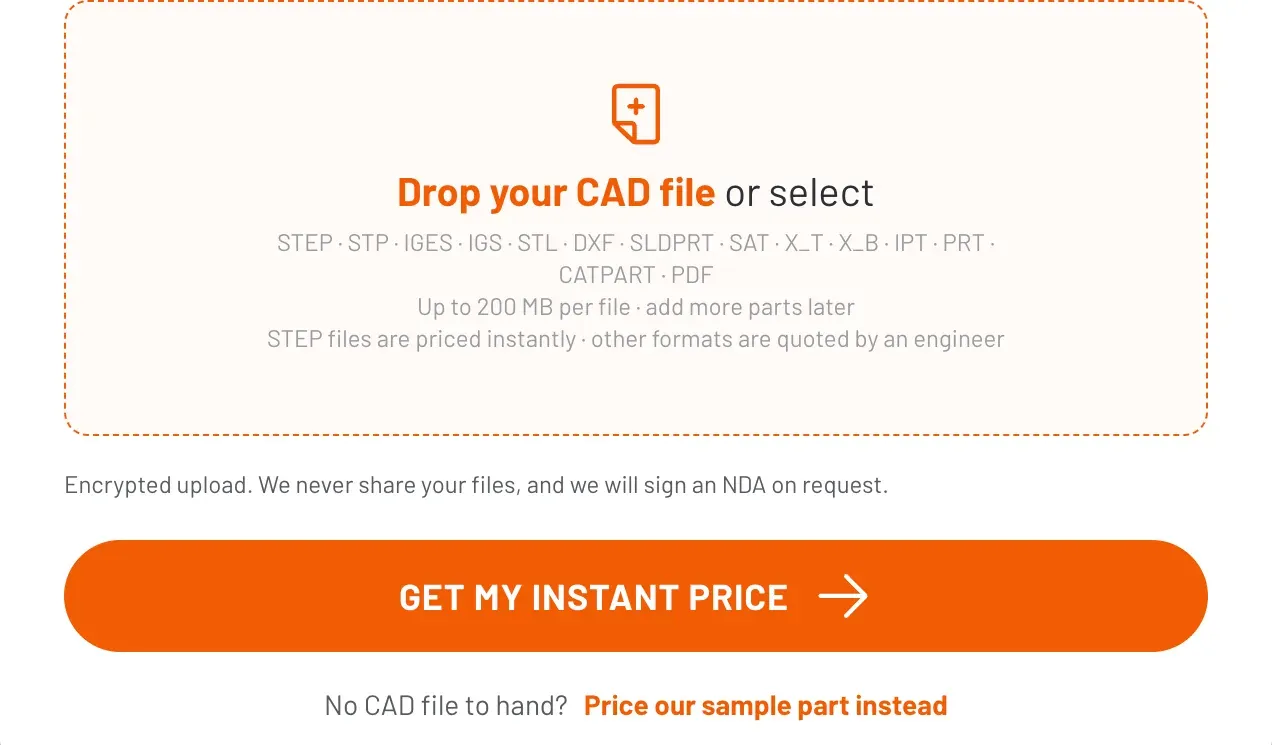
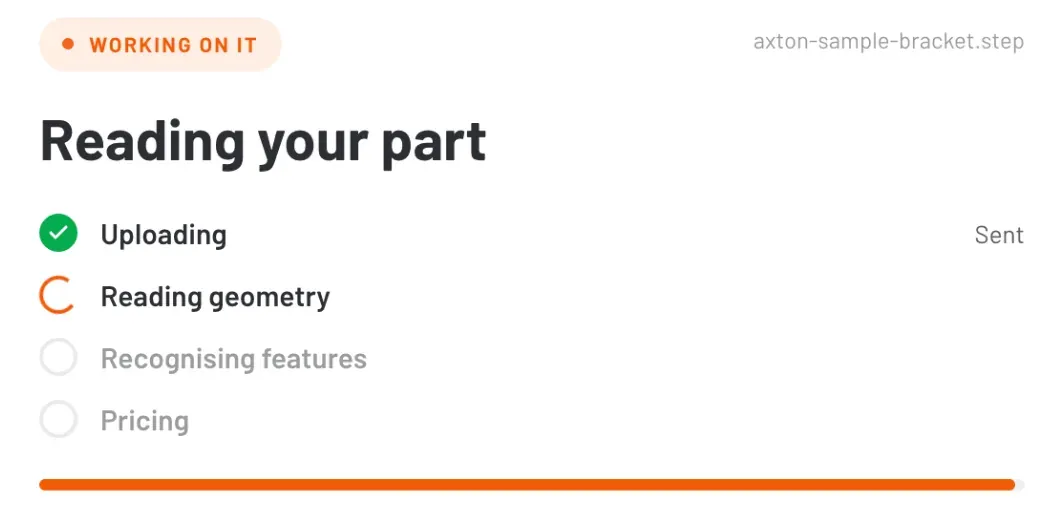
Upload box reading Drop your CAD file or select, with the list of accepted formats and a Get my instant price button
Drop the file here.
Progress panel showing uploading done, reading geometry in progress, then recognising features and pricing
The tool reads your part.
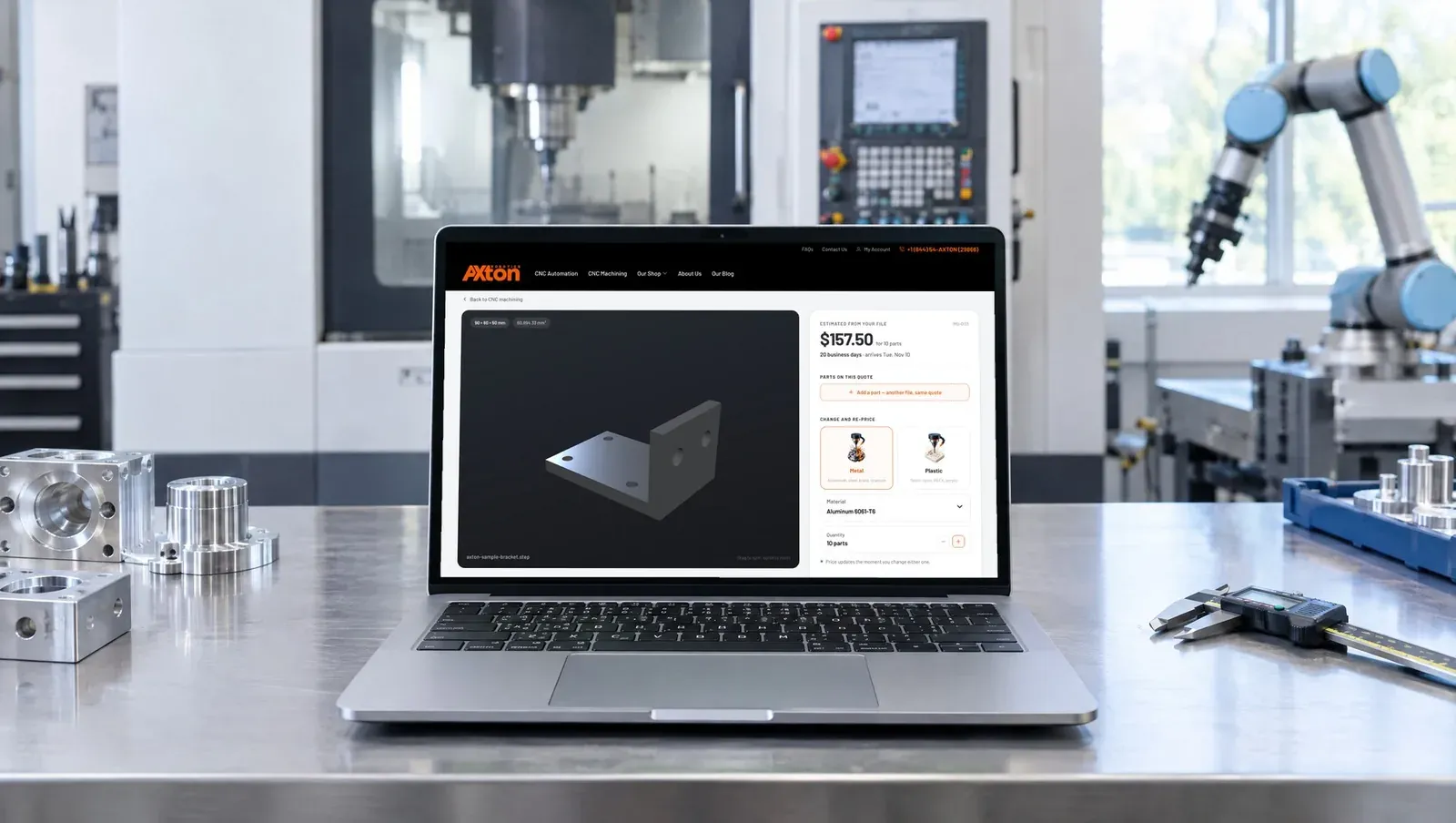
Laptop in a machine shop showing the Axton quote screen with a 3D bracket and a price of $157.50 for 10 parts
Your part in 3D on the left, your price and every option on the right.

Step 2. Pick metal or plastic, then the grade

Choose the material family first, then the exact grade. The price updates the moment you change it.
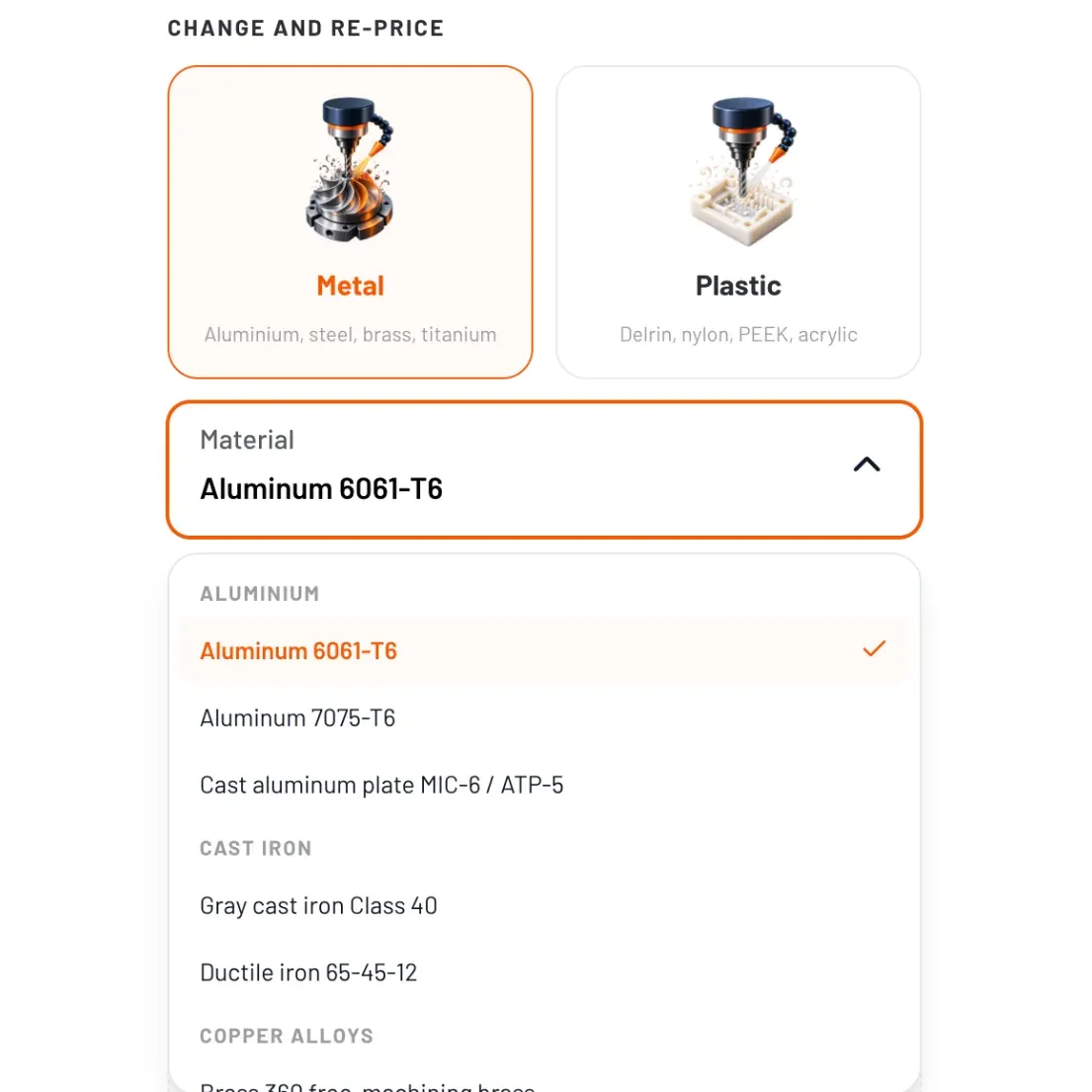
Metal and plastic cards above a material list open on Aluminum 6061-T6, with 7075-T6, MIC-6 plate and cast iron grades below
Grades are grouped by family so you find yours fast.
  • Aluminum 6061-T6, 7075-T6, MIC-6 / ATP-5 cast plate
  • Stainless steel 303, 304, 316, 17-4 PH
  • Steel 1018, 1045, 4140 prehard, A2 and D2 tool steel
  • Copper alloys 360 brass, 932 bearing bronze, C110 copper
  • Titanium Ti-6Al-4V
  • Cast iron Class 40 gray, 65-45-12 ductile
  • Plastics Acetal (Delrin), nylon, PEEK, PTFE, PEI, PVC, UHMW-PE, HDPE, ABS, polycarbonate, acrylic, PETG, polypropylene

Step 3. Set your quantity

Use the plus and minus buttons. Setup cost is spread across the run, so the price per part drops fast.

Our sample bracket costs $72.84 for one. Ten cost $143.40, about $14 each.
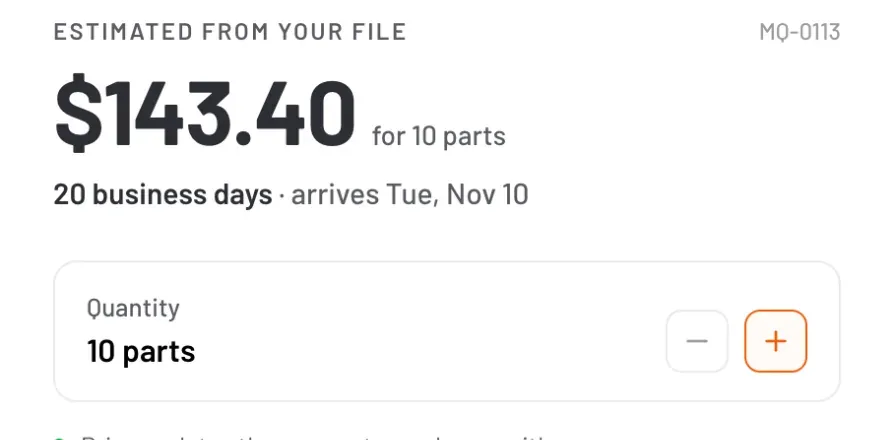
Price reading $143.40 for 10 parts above a quantity control set to 10 parts
Ten parts, priced instantly.

Step 4. Confirm holes, pockets and threads

The tool counts the holes, pockets and threads in your file. If a count is off, fix it with the plus and minus buttons and the price follows.

Our bracket has 6 holes. Confirming them moved the price for ten from $143.40 to $157.50.
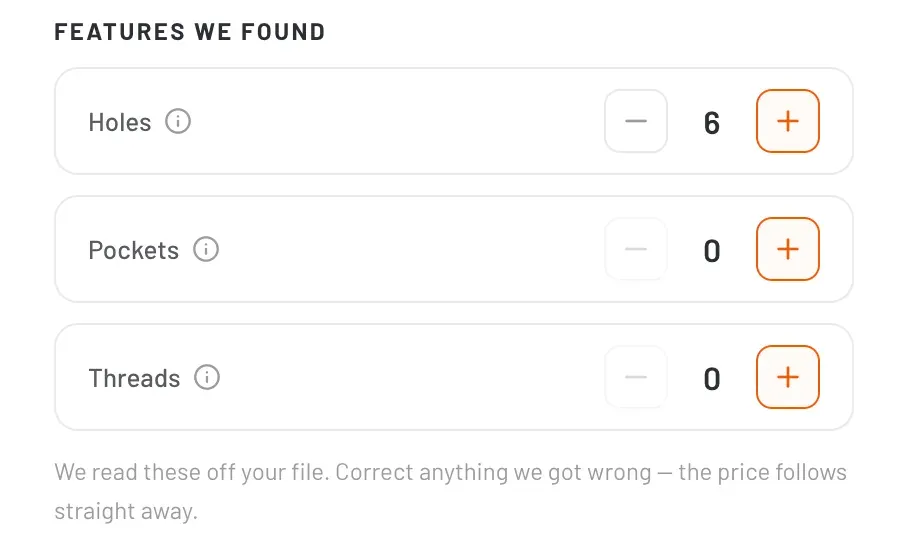
Features we found panel with holes set to 6, pockets 0 and threads 0
Each feature has its own counter.

Step 5. Attach a drawing only when it matters

Most parts don't need one. Attach a PDF or DXF when a feature is tighter than ISO 2768 medium, and we hold to the dimensions on your drawing.
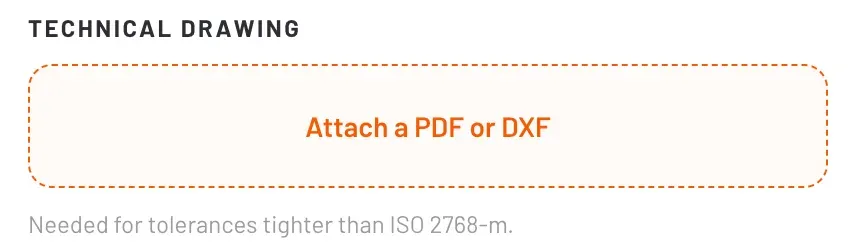
Technical drawing upload box reading Attach a PDF or DXF, needed for tolerances tighter than ISO 2768-m
Skip it for standard tolerances.

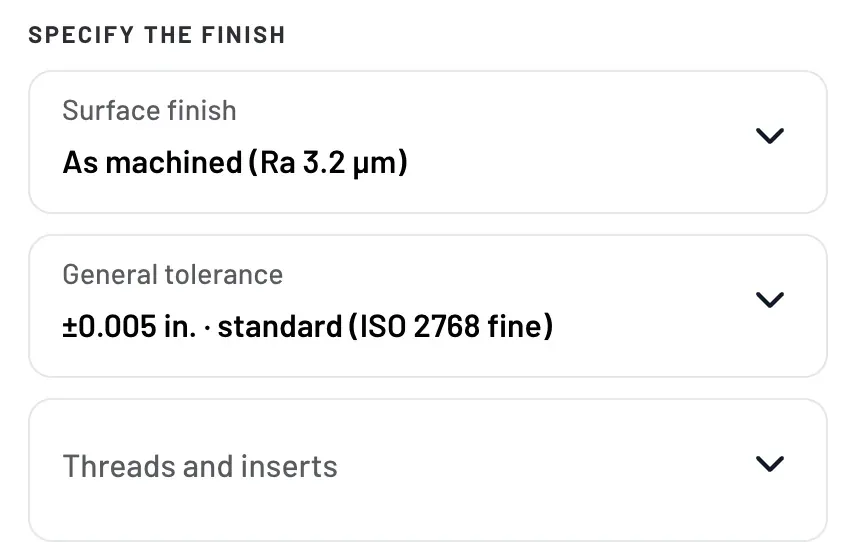
Step 6. Choose finish, tolerance and threads

Specify the finish panel with surface finish as machined Ra 3.2 µm, general tolerance ±0.005 in. and threads and inserts
Three choices, each with a sensible default.
  • Surface finish As machined (Ra 3.2 µm), bead blast, anodized Type II, powder coat, polished
  • General tolerance ±0.020 in. coarse, ±0.010 in. medium, ±0.005 in. fine (standard), or per my drawing
  • Threads and inserts None, standard metric, standard imperial, or per my drawing

Step 7. Pick how fast you need it

Every option shows its price and the date your parts arrive. Shipping is estimated from weight and confirmed at checkout.
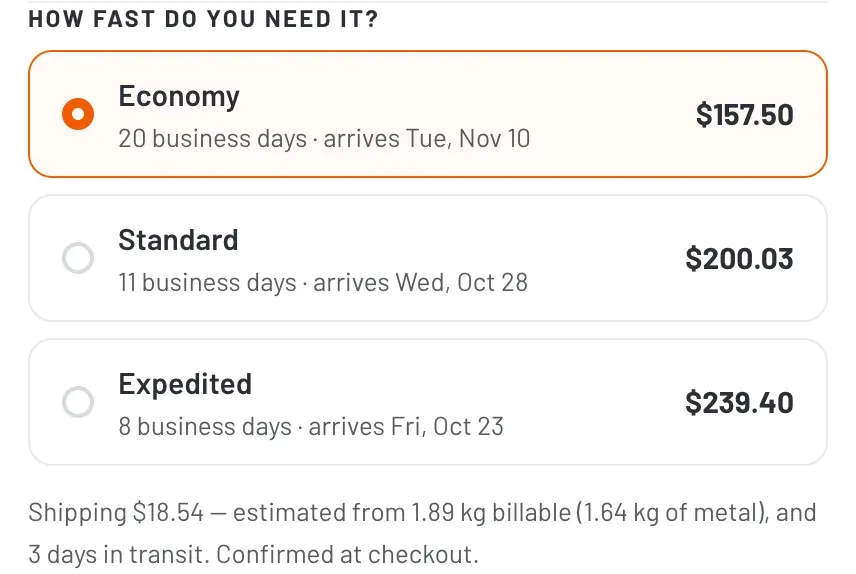
Lead time options Economy 20 business days $157.50, Standard 11 business days $200.03, Expedited 8 business days $239.40
Ten brackets in 6061-T6.

Quoting a project with several parts

Most jobs are more than one part. Click “Add a part” and drop the next file. Each part keeps its own material, quantity and finish, and they all stay on one quote with one checkout.
Parts on this quote section with an Add a part button
Add the next file to the same quote.
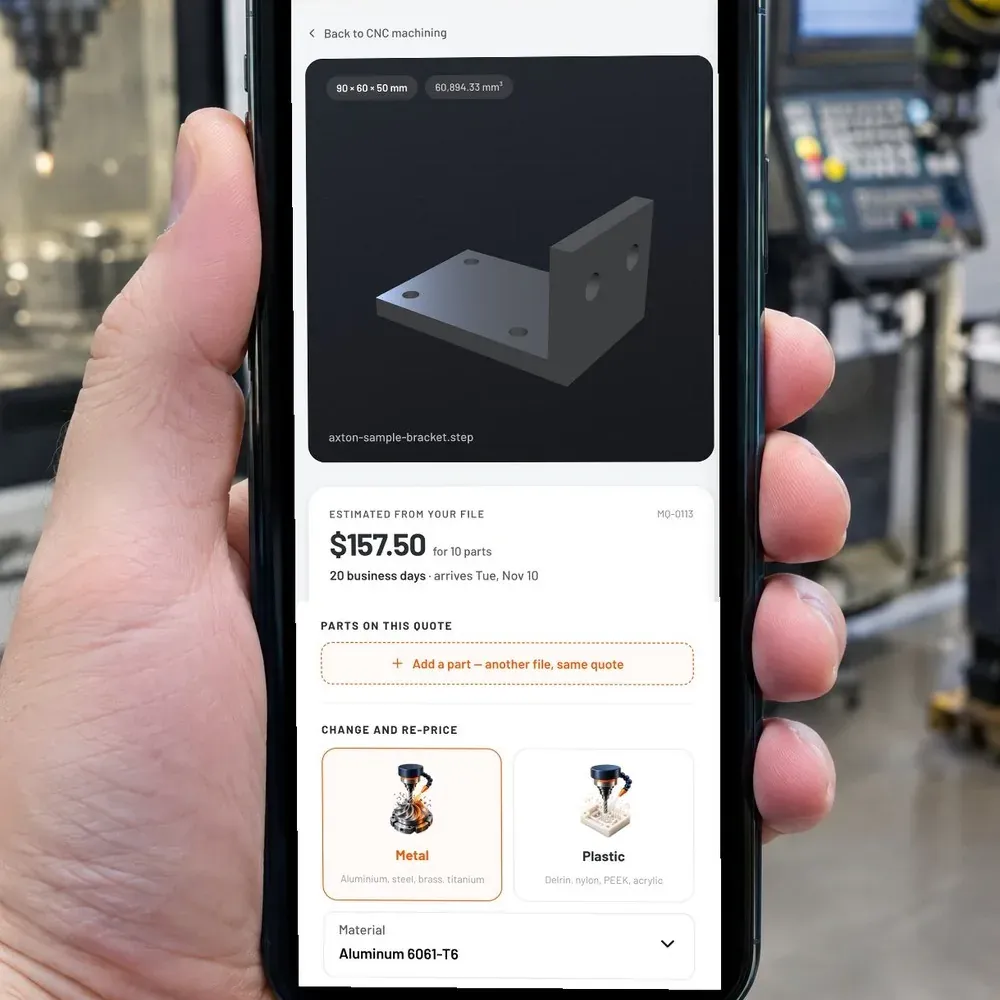
Phone in a machine shop showing the Axton quote with the bracket, price and Add a part button
Works the same on your phone on the shop floor.

Step 8. Send it to your purchaser

This is the step most quote tools forget. The engineer builds the quote, but someone else signs the PO.

Click “Forward to a purchaser”, add their email and a short note. They get the live configuration, not a screenshot. No second upload, no re-pricing.
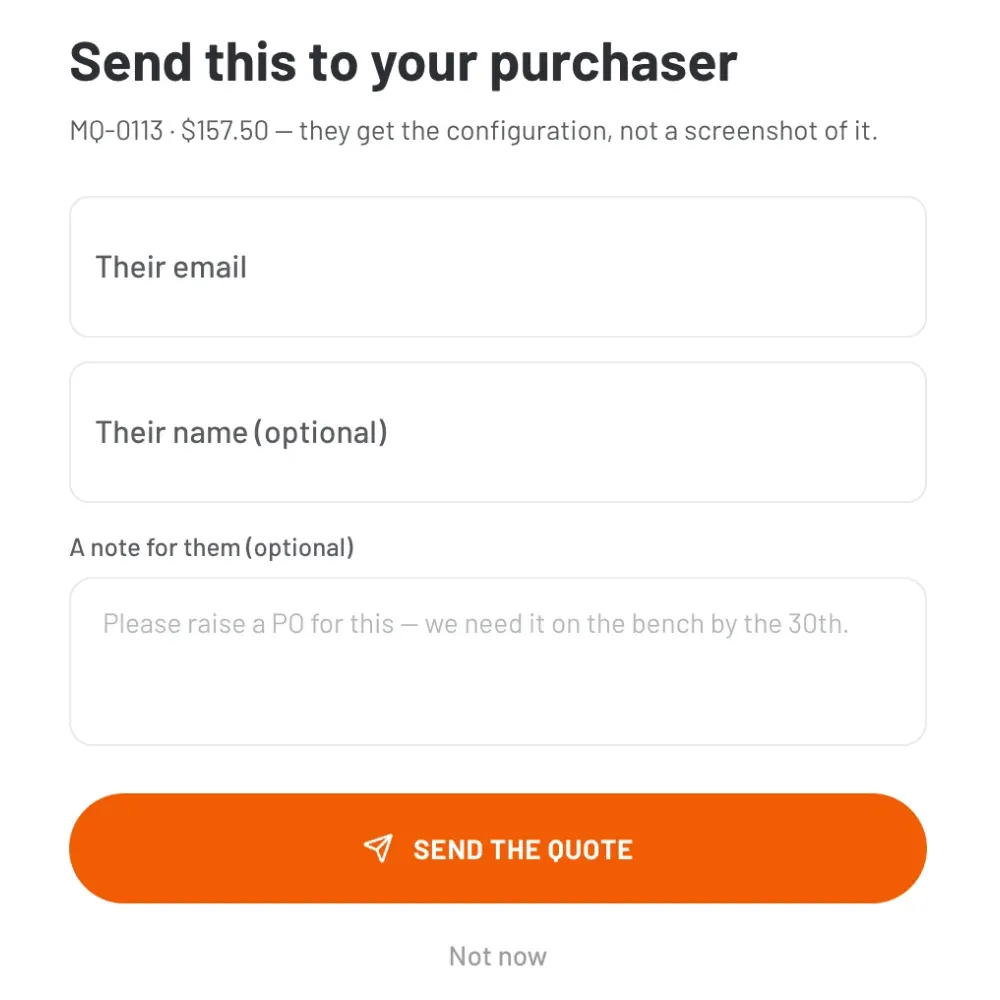
Send this to your purchaser dialog with their email, their name, a note and a Send the quote button
Your purchaser opens the exact quote you built.

Step 9. Pay by card or by invoice

Enter where the parts ship and choose how to pay.

  • Pay by card. Card details go straight to Stripe. Machining is scheduled as soon as the payment clears.
  • Pay by invoice. We raise it in QuickBooks and the job starts once it is paid.
Payment options Pay by card and Pay by invoice
Two ways to pay.
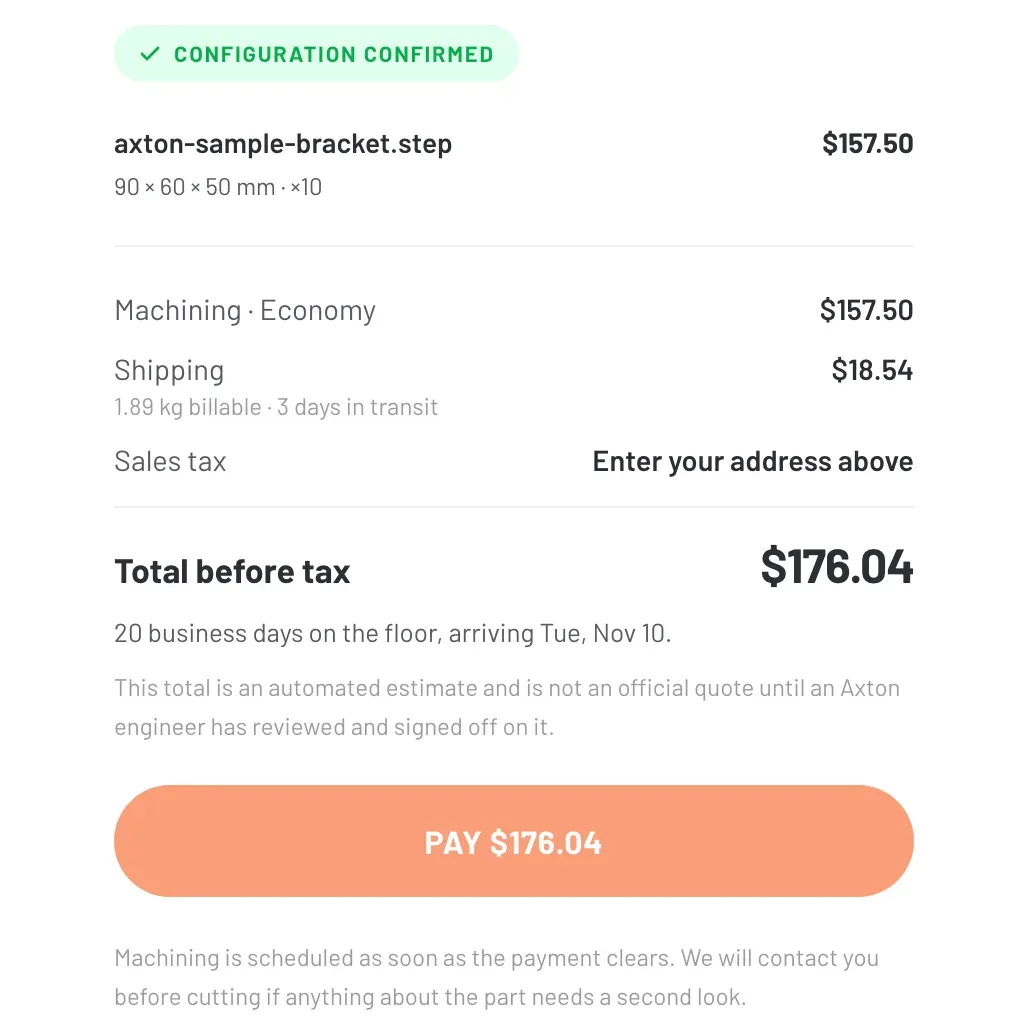
Order summary showing machining $157.50, shipping $18.54 and total before tax $176.04
Everything itemized before you pay.
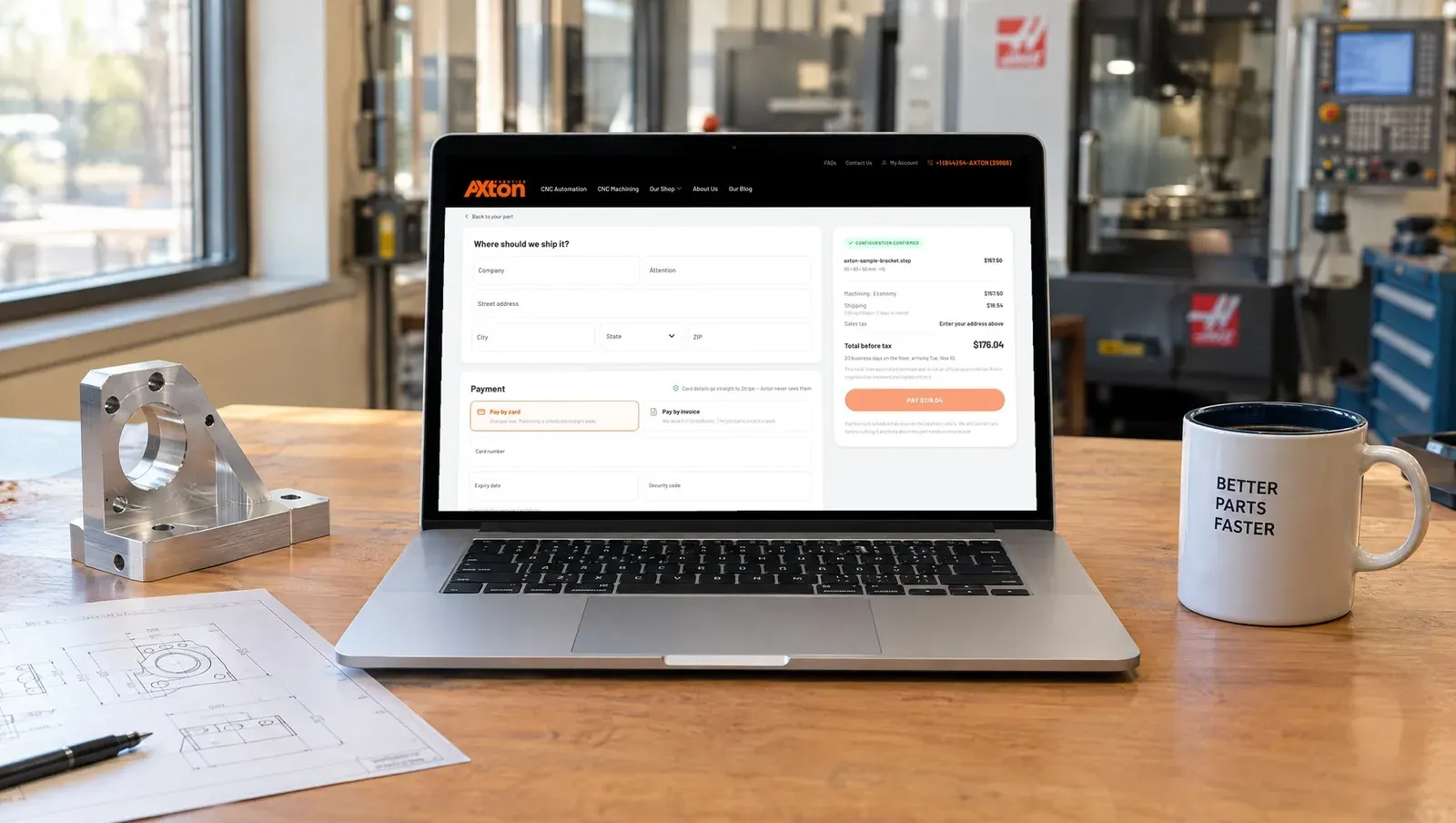
Laptop on a desk showing the Axton checkout page with shipping, payment and order summary
The full checkout on one page.

What happens after you order

An Axton engineer reviews every order before cutting. Every price in the tool is an automated estimate until that sign off, and if anything about your part needs a second look, we call you first.

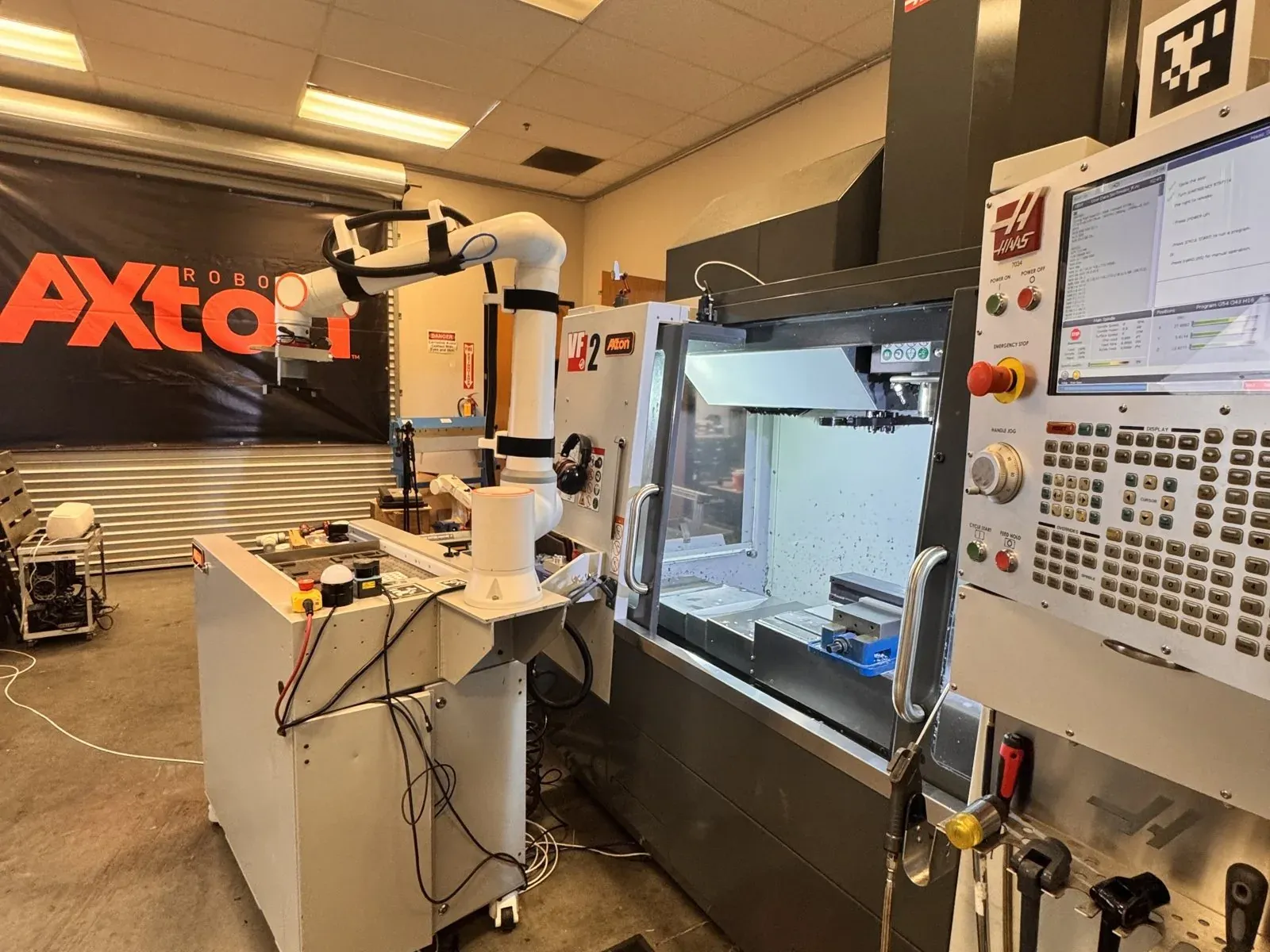
Then your parts run on our own robotic CNC cells in San Diego. The same machine tending automation we build for other shops loads our Haas, so your job keeps moving after the lights go off.
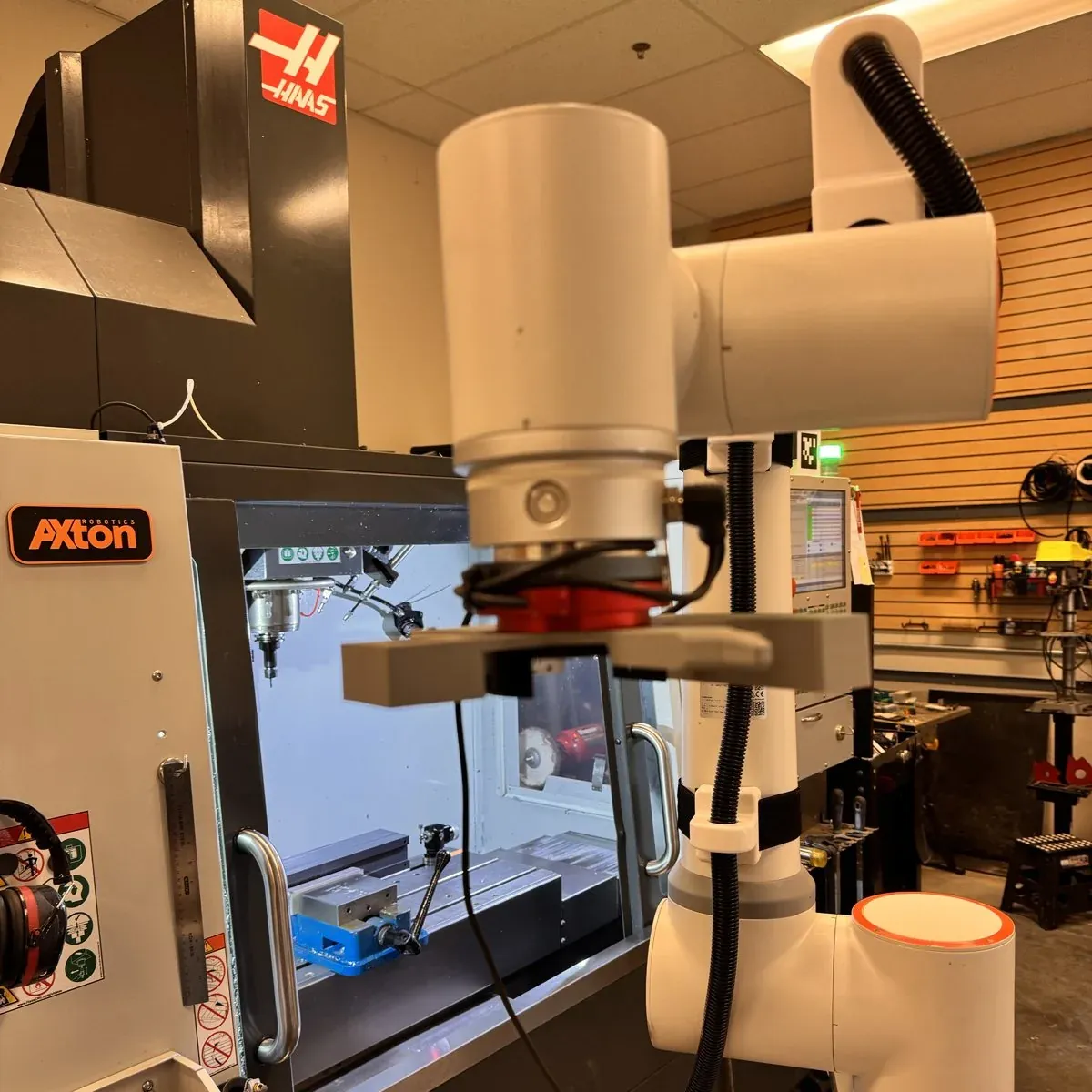
Collaborative robot with a parallel gripper positioned at the door of a Haas VF-2
The cobot loading our Haas VF-2.
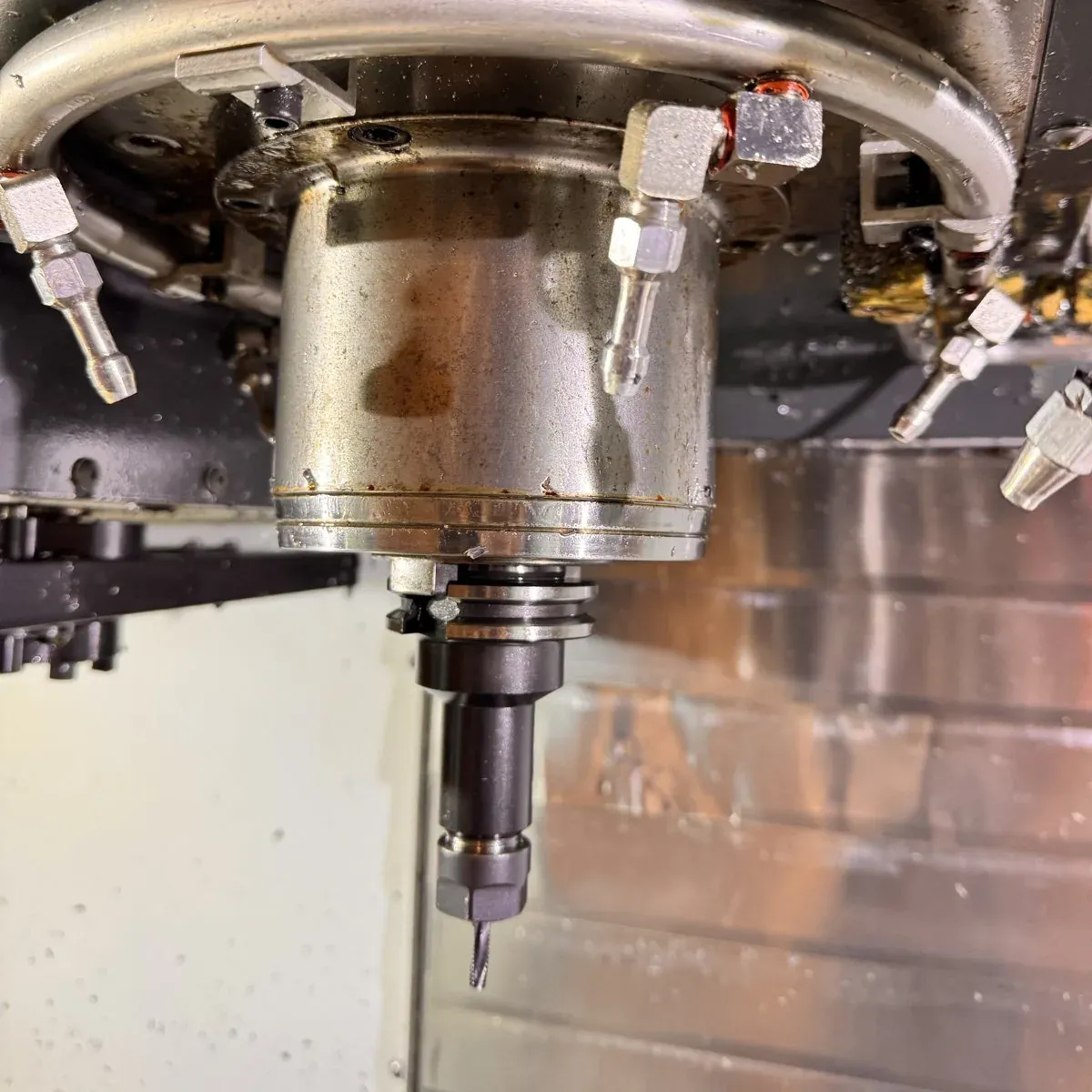
Close up of the Haas spindle and tool inside the machine enclosure
Inside the machine, ready to cut.

Every part goes through QC and inspection, then ships to any of the 50 states.

Frequently asked questions

How fast do I get a CNC machining quote?

STEP files are priced in seconds. Other CAD formats are quoted by an engineer.

Do I need an account to get a quote?

No. Your email is enough. You can create an account any time to keep all your quotes in one place.

Can I quote several parts at once?

Yes. Add each part as another file and they stay on one quote with one checkout.

What tolerances can you hold?

Our standard is ±0.005 in. Tighter tolerances on specific features are possible with a drawing and are reviewed during quoting.

Does ordering more parts lower the price?

Yes. Setup cost is spread across the run. One sample bracket costs $72.84, ten cost $143.40.

Can someone else in my company pay for the order?

Yes. Forward the quote to your purchaser and they can pay by card or request an invoice.

Are my CAD files safe?

Uploads are encrypted and we never share your files. We sign an NDA on request.

Get your price in seconds

Drop your STEP file and see what your part costs, with no forms and no phone calls.
Get my instant price

← Previous postCome meet Axton Robotics at FABTECH 2026

Read Also

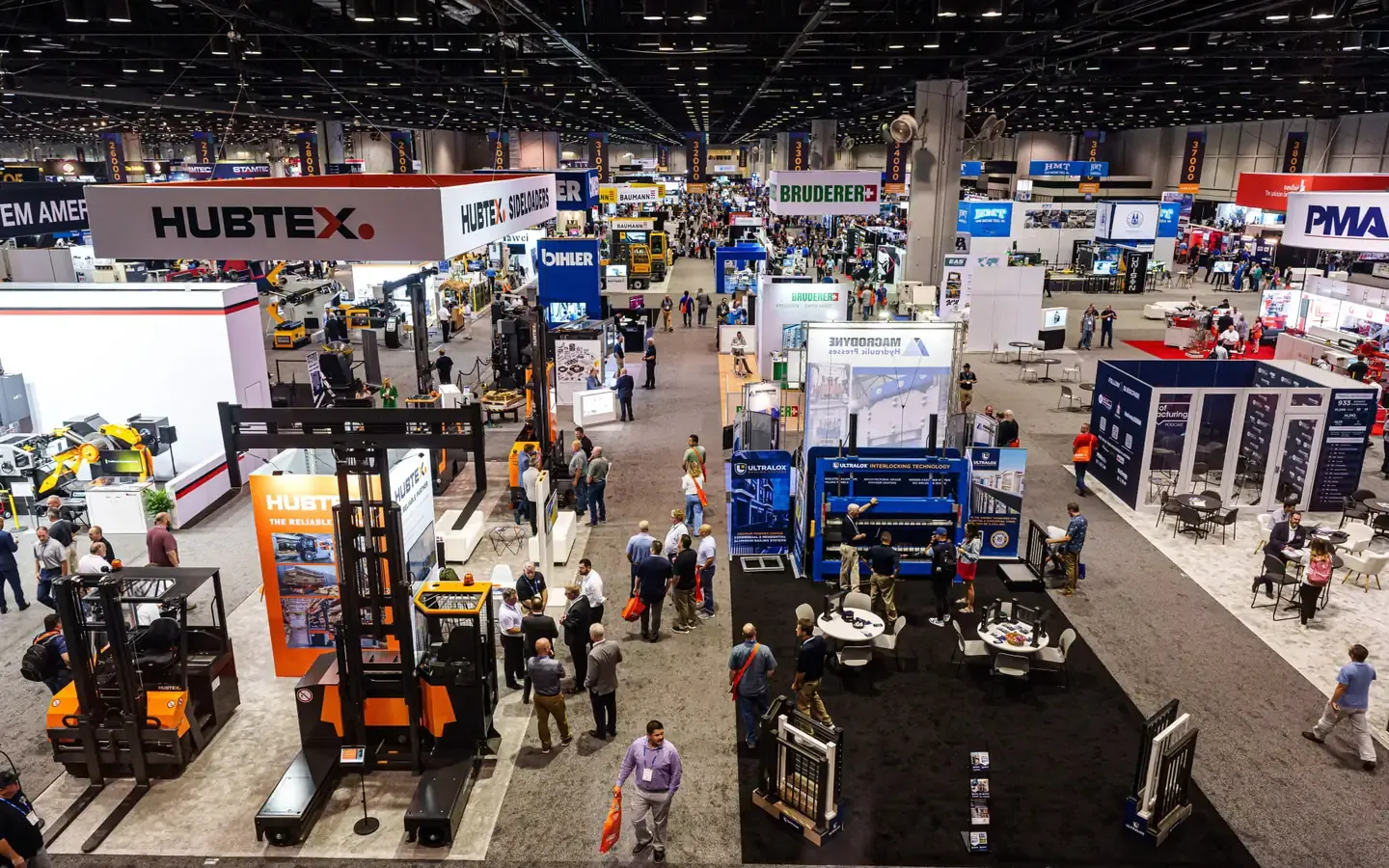
Crowded FABTECH show floor with exhibitor booths and machinery at FABTECH 2024
Events

Come meet Axton Robotics at FABTECH 2026

We skipped Chicago to build the right machine. Now it's ready to meet you. Find us at FABTECH 2026 in Las Vegas.


Photo of Michael Nessim
Photo of Malak Mitch

Michael Nessim & Malak Mitch

Sep 30, 2026 — 2 min read
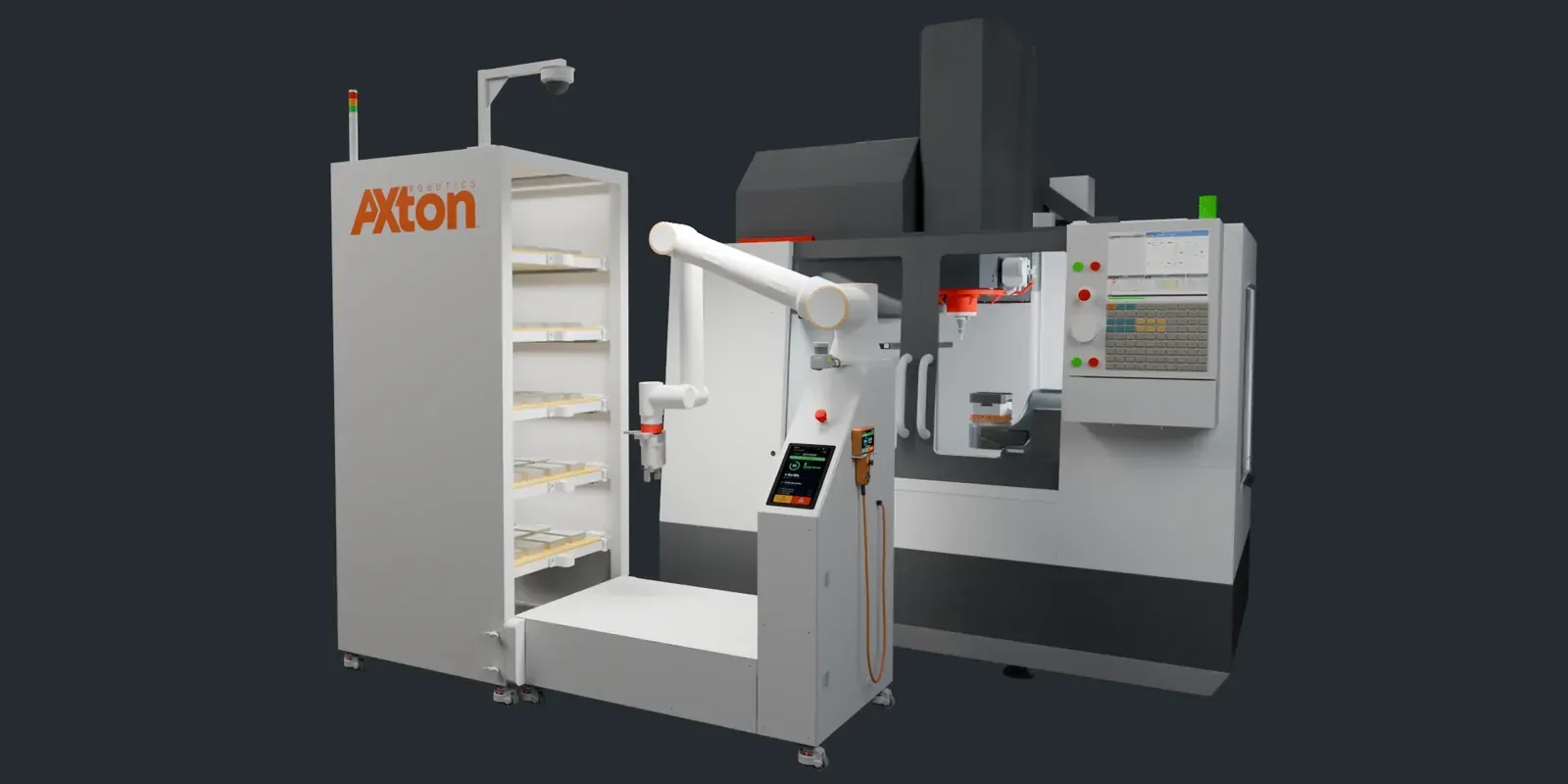
Axton Tower CNC machine tending station with a cobot loading a vertical machining center
Build log

Simpler is stronger, why we replaced our carousel with a tower

In April we showed you the carousel. It worked. Then one question made us tear it up and start again.

Photo of Michael Nessim
Photo of Malak Mitch

Michael Nessim & Malak Mitch

Sep 24, 2026 — 4 min read
View All Posts